Thursday, January 7, 2021

8 Apps Security Experts Would Never Have on Their Phone

It's time to take a look at your phone and clear out any apps that may be causing you more harm than good.


MEDIA TRADING LTD/GETTY IMAGES 

Hackers and spyware and breaches, oh my! 

Now more than ever, we rely on our phones for everything. From work to communication to play, it seems like all is just a phone tap away. But do you know how to keep yourself safe while using your personal device? The constant concern over security has been surfacing even more than usual lately news of compromised safety allegations against TikTok, the incredibly popular video-based social media app. With the U.S. government considering banning the app and the country of India already having done so, it’s time to take a look at your phone and clear out any other apps that may end up causing you more harm than good.

Google Assistant

Calling out constantly for Alexa, Google, and Siri may make it seem like you added three extra kids to your household. But how safe is this “virtual helper” technology anyway? While all of these apps pose security risks due to their constant listening tools, Google Assistant is the diciest. The problem? Google Assistant "is one of the most pervasive applications in existence. It collects not only behavioral data, but voice searches, and it can record them at any point in time, meaning any time you talk about something, these voice recordings can be tied directly to advertising on Google,” explains Dr. Leif-Nissen Lundbæk, co-founder and CEO of XAIN. The solution? Skip over enabling this virtual helper (or disable it if you currently have it on)

WhatsApp

The legacy of WhatsApp is complicated, to say the least. The free text and voice messaging app is especially popular in Europe, as it provides free international calls over Wi-Fi and works on just about any type of phone or browser. Although the app claims to have advanced security features, it has had its fair share of safety problems. “WhatsApp has had some major security breaches with phishing texts and phone calls, that even though were ignored, still installed spyware,” says Laura Fuentes, operator of Infinity Dish. “It could surely become the worst of these applications in terms of privacy if they were to use conversation data to build precise user profiles,” Dr. Lundbæk agrees. So although WhatsApp isn’t the most dangerous app out there, if you personally don’t use it a lot to communicate it’s better to skip the download or delete it off your phone.

Facebook Messenger

Despite the promises made by Facebook CEO Mark Zuckerberg in March 2019, Messenger still doesn’t provide end-to-end encryption by default. This means that unlike WhatsApp, Messenger does have access to all of your conversations and has the ability to store this data. And there’s more, too: “The Facebook Messenger app got a security risk rating of 7 for accessing user SMS, photos, contacts, and camera without permission,” says Allan Borch, founder of Dotcom Dollar. So for now, use another messaging app to make sure no one is eavesdropping on your conversations.


Pokémon Go

Pokémon Go is one gaming app you definitely shouldn’t have on your (or your child’s) phone. The app has serious security flaws that just don’t seem to make it worth the risk. “Pokémon Go was given a security rating of 7 because of its ability to access contacts, camera, and even the user’s location without permission,” Borch says. Fuentes agrees, also noting that there have been several security breaches on the app. This is one game where you’ll lose more than you can win.

Certain VPNs

A VPN creates a private network from a public Internet connection which is meant to ensure your safety while surfing the web. However, not all VPNs have your best interests at heart. HolaVPN is one that should never be downloaded due to security reasons. “When you are a free Hola user, you automatically allow other Hola users to reroute their Internet traffic through your computer and network. These other users will access and browse the Internet using your IP address. All their Internet activities will be linked to your unique IP address, which could get you into significant trouble depending on what those other users are doing online,” says David Janssen, founder of vpnoverview.com. SuperVPN is another that is an easy target for hackers, and any Chinese VPNs pose the same security threats (if not more) as TikTok.

COVID-19 tracing apps

As if the COVID-19 pandemic hasn’t done enough damage! Some large companies (most notably Apple and Google) have announced that they will be working to create contact tracing apps that will alert people if they’ve been exposed to someone with COVID-19. In addition to worries that this sort of technology would be a prime harvesting ground for hackers, there’s also a fear that people may accidentally download fraudulent tracing apps that look like they’re the real deal. “There are a lot of apps posing as legitimate government programs that are stealing people’s sensitive data and taking advantage of the stressful nature of this pandemic,” warns Colton De Vos, marketing specialist at Resolute Technology Solutions. If you happened to have downloaded one of these tracing apps, delete it right away!

Abandoned or unsupported apps

While this isn’t a specific app that experts want you to erase from your phone, they stress that it’s important to keep in mind that any app that has been “abandoned” by its creator or is unsupported needs to go. “Older apps represent a risk,” explains Phil Strazzula, CEO and founder of Select Software Reviews. “If the developers are not still supporting it, that means they’re not closing any security loopholes that have been discovered since the app’s creation.” Time to look into spring cleaning your phone: Out with the old, and in with the (safer) new.

Apps not purchased in your phone’s app store

Another general tip to follow: Don’t download an app unless it was purchased either on the Apple App store or Google Play store, depending on what type of phone you own. Again, this is more of a “better safe than sorry” technique. “This is not to say that Amazon’s app store is unsafe for anything other than a Fire device, as it isn’t. But the safeguards that have to be disabled to do so put your device at greater risk of malicious applications,” says Allan Buxton, Director of Forensics for SecureData.

At the end of the day, it’s impossible to keep all of your online information safe, all of the time. The number one thing to remember: “Free apps are not free,” says Roger Lewis, CEO of CMIT Solutions. “They use your data for targeted advertising and data brokers.” So before downloading an app, make sure to read the user terms of agreement and ask yourself if what they want access to on your phone is reasonable. Stay alert, stay aware, and you’ll stay as secure as possible.

Read Lucie Turkel's complete article at www.rd.com/list/apps-security-experts-phone/.

Thursday, August 6, 2020

9 rules for strong passwords: How to create and remember your login credentials

The security of your bank account, Netflix account and email inbox depends on how well you safeguard your many passwords.

The key to your online security is to have strong passwords, but the challenge is to create distinct passwords that you can actually remember -- or else you may fall into the bad habit of using the same login credentials for multiple accounts. According to LogMeIn, the company behind the LastPass password manager, you could very easily have 85 passwords for all your accounts once you count all of your social media, streaming, bank accounts and apps.

If your data is compromised, weak passwords can have serious consequences, like identity theft. Companies reported a staggering 5,183 data breaches in 2019 that exposed personal information such as home addresses and login credentials that could easily be used to steal your identify or commit fraud. And that pales in comparison with the more than 555 million stolen passwords that hackers on the dark web have published since 2017.

  • Use a password manager to keep track on your passwords
  • Yes, you can write your login credentials down. Really
  • Find out if your passwords have been stolen
  • Avoid common words and character combinations in your password
  • Longer passwords are better; 8 characters are a starting point
  • Don't recycle your passwords
  • Avoid using passwords known to be stolen
  • No need to periodically reset your password
  • Use two-factor authentication (2FA) ... but try to avoid text message codes
Get the details in Clifford Colby and Sharon Profis' article at www.cnet.com/how-to/9-rules-for-strong-passwords-how-to-create-and-remember-your-login-credentials/.

Thursday, July 23, 2020

Nasty malware could be hiding on your Android. Here's how to spot it


Swamped with ads? Don't recognize an app? Start here to deal with it.

Android malware can find ways to trick you. A mobile app called Ads Blocker, for instance, billed itself as a useful service for cutting back on pesky mobile ads, which can pop up to cover your screen just when you're about to access something important. But users would soon find the app was malware that just served up more ads, according to security researchers.

It's just one example of malware that can frustrate Android phone users, plaguing them with ads that the creators get paid to display, even when users are looking at unrelated apps. Malware often also harvests fake clicks on the ads, doubling up on the value for the makers.

"They're making money," said Nathan Collier, a researcher at internet security company Malwarebytes who helped identify the bogus ad blocker in November, "and that's the name of the game."

Researchers say adware like Ads Blocker is the most common type of malware on Android devices. Other malicious apps, however, can do worse things than make your phone so frustrating to use that you want to Hulk out and crush it -- like steal personal information from your phone. 

Malware can be disorienting, getting in the way of how you normally use your phone and making you feel uneasy even if you aren't sure what's causing the problem. It's also very common; Malwarebytes says it found close to 200,000 total instances of malware on its customers' devices in May and then again in June. So how do you know if you have malware on your phone, and how can you stop it? Here are some takeaways from mobile malware experts on what you can do.

  • How Malware on your phone works
  • Signs of Malware
  • Ransomware on Android Phones
  • What mobile malware is capable of
  • How to stop mobile malware on your Android phone


Monday, July 13, 2020

Shopping more online? Take heed to these 7 simple safety tips


While COVID-19 is hurting in-store traffic for most American retailers, e-commerce sites have experienced a huge surge in activity.

Amazon, for example, reported a 26% jump in revenue during the first three months of 2020, especially after stay-at-home orders were first introduced, compared to the same period a year ago.

The trend continued – nay, accelerated – well into the spring, with data from Adobe Analytics’ Digital Economy Index suggesting all U.S. online sales have increased by as much as 49% in April compared to pre-COVID-19 numbers.

But, as you might suspect, with this spike in online shopping comes a stark increase in problems from it, says the Federal Trade Commission.

In April and May 2020, the FTC received more than 34,000 complaints from consumers related to online shopping, many of which were tied to ordered items not received. The May numbers alone represent a nearly twofold increase over the number of reports received during the busy holiday shopping season last December. Other issues were tied to receiving an incorrect or damaged item, misleading product information and fraud.

And so, to ensure a smooth online shopping experience, take heed to these following seven safety tips:

  1. Look for the lock (a secure internet connection)
  2. Pay securely
  3. Update your software
  4. Do your homework
  5. Dig for the data
  6. Use good passwords; avoid scams [I don' think 7 characters is a strong enough password. I'd suggest at least 10 characters.]
  7. Don't shop in a hotspot

Thursday, July 2, 2020

Is your Google Home or Nest secure? How to find and delete your private data


With Google Home or Nest in your house, you've got an always-on voice assistant that regularly records audio and almost always sends it to Google. Are you OK with that?

Relying on Google Home to organize your digital life requires something of a trade-off with regards to your personal data, but that doesn't mean you have to give up your sense of privacy just to get your smart speaker to work for you. It's totally possible, through a combination of security settings and responsible privacy practices, to minimize the amount and kind of data you share with Google yet still take advantage of Google Home's hands-free conveniences. The key is knowing how much information your Google Home can live without without becoming useless.

Starting in June, new Google accounts will automatically delete private data for you. But only after 18 months by default. And only if you're a brand new Google user. That's great if you're setting up your first Google Home device or Gmail address or you just got your first Android phone, but if you're among the 1.5 billion people on Gmail or the 2.5 billion people using Android already, your account is set to hold onto your private data forever unless you tell Google otherwise.

If you love using your Google Home but want to control how many voice recordings or how much location information and other personal data Google keeps, these are the settings that you'll need to adjust to fine-tune your privacy controls.

  • Check which options you've enabled
  • Look up everything Google Assistant has on you
  • Delete some or all of your private data
  • Choose how often your private data will be deleted
  • The most extreme privacu option: Pause all activity

Thursday, May 14, 2020

This Is How Often You Should Restart Your Phone


We live and die by our cell phone, rarely giving it the chance to reboot and refresh. But are you harming the device without knowing it? We asked the experts.

For many of us, our smartphones have become a touchstone of life. It affects how we do our jobs, interact with our friends and family, and even how we access important information like our banking, and healthcare. But are you taking proper care of it? Experts say that knowing simple care tips, such as how often to shut it down, can drastically affect how well your phone will continue to perform the older it gets. That means the simple knowledge of when to turn it on and off, can cost you hundreds of dollars in prematurely replacing your phone.

But just how often do we need to shut off our smartphones? As opposed to how often you need to shut down your computer, your smartphone has a more hard and fast rule you should live by: once a week, shut it off, let it rest at least one minute, and then you can fire it back up.

Get all the details in A

Thursday, April 16, 2020

5 things not to do when coronavirus quarantine and lockdown end

When will the coronavirus quarantine, shelter-in-place and stay-at-home orders end? This question has escaped countless lips as countries, states and cities shift to indoor living to help slow the spread of COVID-19. Some of us are getting restless, imagining the people we'll hug, parties we'll throw and places we'll travel.

Not so fast. As the first signs of easing are starting to play out around the world, it's good to remember this is new territory for everyone and there's much we still don't know about the long-term behavior of this particular coronavirus strain.

Different governments and agencies are sure to have their own cadence for reintegrating and going back to business as usual, including taking a phased approach that slowly relaxes some measures while keeping an eye out for spikes in new coronavirus cases.

One thing's for sure -- your lifestyle won't return to "normal" all at once. While we won't know for certain what will or won't be allowed until those measures arrive, there are some common-sense codes that we don't see going away any time soon.
  • Don't throw a party or hit the bars
  • Don't stop washing your hands
  • Don't immediately visit high-risk people
  • Don't plan a big international vacation
  • Don't sell your home office and home workout equipment
Get all the details in Jessica Dolcourt's article at www.cnet.com/how-to/5-things-not-to-do-when-coronavirus-quarantine-and-lockdown-end/.

Wednesday, April 15, 2020

How to Avoid Germs When Grocery Shopping, According to Consumer Reports

Ridofranz/Getty Images

Stay healthy while grocery shopping

Avoiding germs is always a good idea, but never before has it seemed so important than right now, during the COVID-19 pandemic. In fact, keeping yourself protected against the coronavirus could be a matter of life and death, which is why people are being more careful than ever before when they do basic day-to-day activities like going grocery shopping. "It used to be seen as a mundane weekly errand, but has become a task that requires more thought and preparation during this COVID-19 pandemic crisis," explains Lisa Larkin, MD, an internal medicine physician in Cincinnati, Ohio and founder and CEO of Ms.Medicine. The good news is that there are steps you can take to avoid germs and reduce your risk of infection or infecting others during this time. Read on for tips to shop for your groceries in as safe a manner as possible.
  • Go at times of day when it's less busy
  • Sanitize your shopping cart or basket
  • Avoid touching your face while shopping
  • Stay six feet away as you navigate the aisles
  • Be kind to others
  • Bring disposable gloves for checkout
  • Avoid paying with cash
  • Sanitize your hands
  • Leave bags outside upon returning home
  • Consaider delivery of pick-up
  • Clean packaging and fresh produce (see this post for detailed instructions/examples)
Get all the details in Jenn Sinrich's article at www.rd.com/culture/how-to-avoid-germs-when-grocery-shopping/.

Thursday, March 26, 2020

Michigan doctor says leave groceries outside for 3 days if possible, shows how to disinfect


Whether it’s groceries or a take-out meal, food and its packaging should be handled with care and disinfected before it’s put away in your home while the world grapples with the COVID-19 coronavirus pandemic.

Jeffrey VanWingen, a doctor at Family Medicine Specialists in Grand Rapids, created a 13-minute video to show everyone how to bring food into their homes as safely as possible.

Read the complete articls and view the video at www.mlive.com/coronavirus/2020/03/michigan-doctor-says-leave-groceries-outside-for-3-days-if-possible-shows-how-to-disinfect.html.

Friday, November 29, 2019

Black Friday smart TV buyers should take this FBI cybersecurity advice

Savvy shoppers know that Black Friday presents some of the best deals of the year on pricey electronics like TVs. Overall, the National Retail Federation expects Americans will spend about $730 billion this holiday season.

But new owners of internet-connected smart TVs might not be as good at spotting hackers as they are at spotting deals. The FBI’s Portland, Oregon, field office shared some tips this week for anyone who needs to secure a smart TV.

Their tips, which are also good for existing smart TV owners, are in this article by James Leggate at Foc5NY.com. Check it out and protect yourself.

Sunday, November 3, 2019

This Is Why We Have Daylight Saving in the First Place

In spring we spring forward, and in fall we fall back ... but why?

As the days get shorter in the fall, we set our clocks an hour back to take advantage of the extra morning sunlight. Daylight saving time lasts until spring when the clocks go forward again. At this point, the custom doesn’t seem to mean much besides an extra hour of sleep (or an hour less in the spring), but it all started as a money-saving scheme.

You might have heard that Benjamin Franklin invented daylight saving time, but that’s not the case. In 1784, he wrote a tongue-in-cheek letter to The Journal of Paris sharing a story of being woken up by the sun at 6 a.m., when he didn’t expect it before noon. “I considered that, if I had not been awakened so early in the morning, I should have slept six hours longer by the light of the sun, and in exchange have lived six hours the following night by candle-light,” he wrote. Candles cost money, but sunlight is free, so he laid out a plan to have Parisians get up with the sun in the spring and summer.

Read the rest of Marissa Laliberte's story at www.rd.com/culture/why-we-have-daylight-saving-time/.

Friday, August 30, 2019

9 Reasons Your Password Is Going to Get You Hacked


You may feel like your password is safe because it uses letters, numbers, and an ampersand, but don’t be so sure. Here are secrets to why your secure account is more hackable than you think.

  1. Your password is "Password"
  2. You didn't check it's strength first
  3. You use the same password for everything
  4. Your security question is obvious
  5. You use a. common phrase
  6. You didn't use the space bar
  7. You didn't use a mnemonic device
  8. It's not long enough
  9. You didn't use two-factor authentication
Read all the details in Damon Beres' article at www.rd.com/advice/work-career/password-security-weak.

Friday, August 2, 2019

11 Things You Think are Recyclable but They're Not


Hold up—don’t toss those empty containers in the recycling bin just yet! While it’s great to recycle as much as possible, there are some items that don’t belong in that bin.
  1. Some TakeOut Containers
  2. Plastic Bottle Caps
  3. Some Paper Products
  4. Plastic Grocery Bags
  5. Wire Hangers
  6. Ceramics
  7. Some Types of Glass
  8. Styrofoam
  9. Shredded Paper
  10. Some Drink Cartons
  11. Colored Paper
Details are in the article by Rachel Brougham at www.rd.com/home/cleaning-organizing/things-you-think-are-recyclable-but-theyre-not/.

Thursday, June 21, 2018

16 Clear Signs You’re About to Be Hacked


Here are warning signs you're about to be hacked.
  1. You get contest information you didn't sign up for
  2. You got a suspicious email and phone call
  3. You have the same password for everything
  4. You believe unbelievable deals
  5. You engage with suspicious emails
  6. 'You have a weak password
  7. You don't think it could ever happen to you
  8. You don't update your apps and OS
  9. You left your computer unguarded in a coffee shop
  10. You gave info to an unencrypted site
  11. You're impatient
  12. You ignore account alerts
  13. You are doing your banking via public Wi-Fi
  14. You don't have a passcode on your phone
  15. You never back your stuff up
  16. You give away too many hints on social media
Read more details about these warning signs at Dan Bova's article at https://www.rd.com/advice/work-career/clear-signs-youre-about-to-be-hacked/.

Monday, October 9, 2017

8 Revealing Everyday Documents You Never Knew You Should Shred

Once trash is off your property, it’s legal for anyone to take. Prevent identity theft by making sure these documents aren’t tossed in one piece.


Here are eight documents you'll be surprised you should shred.
  1. Boarding passes
  2. Prescription labels
  3. Receipts
  4. Pet medical papers
  5. Return labels
  6. Resumes
  7. Extra birth announcements
  8. Extra funeral pamphlets
To learn more about why you should shred these documents, please read Kelsey Kloss' article at www.rd.com/home/cleaning-organizing/shred-documents/.

Monday, June 5, 2017

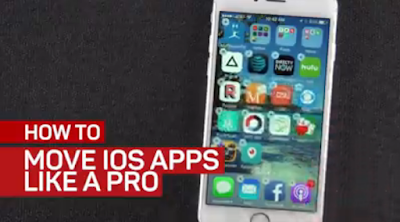
This trick makes moving iPhone apps easier than ever

If you have lots of pages of apps on your iPhone, it can be a pain to move them around. But we have an easy solution.

Rearranging apps on your iPhone and iPad is pretty easy, but moving them across screens can be a little more frustrating. There's an easy trick that solves this: use the dock.

Here's how it works. If you have multiple pages of apps on your home screen, scroll all the way right to the last page. Once there, press and hold on any app to activate "jiggle mode" — be careful not to accidentally trigger 3D Touch if you're on an iPhone 6S or later. "Jiggle mode" lets you rearrange apps on your iPhone.

Next, remove one of the apps from the dock and place it on that last page temporarily. This frees up a space the dock to shuttle apps back-and-forth to other pages on your home screen. To do this, drag the app you're relocating down to the dock. Scroll to the spot you want to put it. Then, drag it to its new spot. Repeat if necessary.

When you're all done, return the app you took off the dock back to its place and press the home button to lock everything down.

Now you can rest easy since all your apps are where you want them -- or you could finally get around to cleaning the camera on the back.

See the complete article and video at www.cnet.com/how-to/rearrange-iphone-ios-apps-easy-with-this-trick/.

Friday, April 21, 2017

15 words you should eliminate from your vocabulary to sound smarter


Newsprint is on life support, emoji are multiplying faster than hungry Gremlins, and 300 million people worldwide strive to make their point in 140 or fewer characters.

People don't have the time or the attention span to read any more words than necessary. You want your readers to hear you out, understand your message, and perhaps be entertained, right? Here's a list of words to eliminate to help you write more succinctly.
  1. That
  2. Went
  3. Honestly
  4. Absolutely
  5. Very
  6. Really
  7. Amazing
  8. Always
  9. Never
  10. Literally
  11. Just
  12. Maybe
  13. Stuff
  14. Things
  15. Irregardless
Be sure to read Jennie Haskamp's complete article at http://mashable.com/2015/05/03/words-eliminate-vocabulary/ to see why these words should be eliminated.

I'd like to add another to her list: So. When did we start  beginning sentences with the word "So"?

Monday, March 6, 2017

Studies Say Handwriting Will Make You (and Your Kids) Smarter

Choosing a pen over a keyboard does wonders for your memory.

 
Handwriting is quickly becoming a dying art. Few businesses can run nowadays without computers, giving keyboard shortcuts an unprecedented importance. Elementary and high schools across the country now view typing courses as essential to their curricula. But what are we losing as handwriting loses its significance in society?

Brain power, according to science. Researchers from Princeton University and the University of California, Los Angeles conducted a series of studies to demonstrate the differences between students who wrote out their notes and those who typed notes. Participants took notes on a lecture using one of the two methods and were tested on the material 30 minutes after the lecture and again a week later. The results showed that both types of notetakers did well on the first test, though longhand notetakers had a stronger grasp of the overall concept, but students with handwritten notes were able to remember and still understand the concepts of the lecture after a week had passed. These participants were also more open to understanding new ideas.

Read Clair Nowak's complete article at http://www.rd.com/advice/parenting/why-handwriting-makes-you-smarter/.

Thursday, February 23, 2017

Your TV is probably tracking you -- here's how to stop it

Internet-connected smart TVs and streaming devices from Vizio, LG, Samsung, Sony, Roku, Google and others can all spy on your viewing habits. Here's how to stop them.


When you unpacked your new TV or streamer for the first time, you probably couldn't wait to start watching it. In the excitement to put it through its paces, chances are you just clicked "I agree" to all those screens of legal mumbo jumbo that came up during the setup process.

Did you know one of the things you likely agreed to was allowing your TV to track your viewing habits and send the information to advertisers and other third parties? The same could go for your streaming device.

Vizio was recently slapped with a $2.2 million fine by the FTC for failing to properly disclose how it shares its tracking information, and in previous years Samsung and LG have both faced similar scrutiny. Streamers from Roku, Apple, Amazon and Google haven't made any major privacy missteps yet, but their policies are generally less intrusive than those of TVs.

What kind of data do TVs and streamers collect? Information about what you watch, which apps you use and other activity on your smart TV or streamer is valuable to advertisers and other third parties, as well as the manufacturers themselves. They use it to target ads and fine-tune viewing suggestions, among other things. Of course, similar usage data is also collected by phones, PCs and other devices, as well as many apps you use and web pages you visit.

Now that you know your TV or streamer could be tracking you, perhaps you want to go back and turn that tracking off.

Read David Katzmaier's article at https://www.cnet.com/how-to/your-tv-is-probably-tracking-you-heres-how-to-stop-it/ to learn how.

Monday, January 23, 2017

Pavegen plans to power the world with footsteps


UK startup Pavegen plans to take its ingenious technology, which turns the kinetic energy from footsteps into electricity, and apply it to many other areas beyond the sidewalk. Mike Butcher visited their London headquarters to learn more about where it’s currently installed and the future of using footsteps as a source of power.

Watch the video and see Mike Butcher's article at https://techcrunch.com/video/pavegen-plans-to-power-the-world-with-footsteps/5882773acb65d31e4787016c/.