Savvy shoppers know that Black Friday presents some of the best deals of the year on pricey electronics like TVs. Overall, the National Retail Federation expects Americans will spend about $730 billion this holiday season.
But new owners of internet-connected smart TVs might not be as good at spotting hackers as they are at spotting deals. The FBI’s Portland, Oregon, field office shared some tips this week for anyone who needs to secure a smart TV.
Their tips, which are also good for existing smart TV owners, are in this article by James Leggate at Foc5NY.com. Check it out and protect yourself.
Friday, November 29, 2019
Sunday, November 3, 2019
This Is Why We Have Daylight Saving in the First Place

In spring we spring forward, and in fall we fall back ... but why?
You might have heard that Benjamin Franklin invented daylight saving time, but that’s not the case. In 1784, he wrote a tongue-in-cheek letter to The Journal of Paris sharing a story of being woken up by the sun at 6 a.m., when he didn’t expect it before noon. “I considered that, if I had not been awakened so early in the morning, I should have slept six hours longer by the light of the sun, and in exchange have lived six hours the following night by candle-light,” he wrote. Candles cost money, but sunlight is free, so he laid out a plan to have Parisians get up with the sun in the spring and summer.
Read the rest of Marissa Laliberte's story at www.rd.com/culture/why-we-have-daylight-saving-time/.
Friday, August 30, 2019
9 Reasons Your Password Is Going to Get You Hacked
You may feel like your password is safe because it uses letters, numbers, and an ampersand, but don’t be so sure. Here are secrets to why your secure account is more hackable than you think.
- Your password is "Password"
- You didn't check it's strength first
- You use the same password for everything
- Your security question is obvious
- You use a. common phrase
- You didn't use the space bar
- You didn't use a mnemonic device
- It's not long enough
- You didn't use two-factor authentication
Friday, August 2, 2019
11 Things You Think are Recyclable but They're Not
Hold up—don’t toss those empty containers in the recycling bin just yet! While it’s great to recycle as much as possible, there are some items that don’t belong in that bin.
- Some TakeOut Containers
- Plastic Bottle Caps
- Some Paper Products
- Plastic Grocery Bags
- Wire Hangers
- Ceramics
- Some Types of Glass
- Styrofoam
- Shredded Paper
- Some Drink Cartons
- Colored Paper
But you may want to take this with a grain of salt. Our local grocery stores accept plastic grocery bags (#4) to be recycled. I'd also guess that different recycling centers have different rules, based on their specific processes.
Thursday, June 21, 2018
16 Clear Signs You’re About to Be Hacked
Here are warning signs you're about to be hacked.
- You get contest information you didn't sign up for
- You got a suspicious email and phone call
- You have the same password for everything
- You believe unbelievable deals
- You engage with suspicious emails
- 'You have a weak password
- You don't think it could ever happen to you
- You don't update your apps and OS
- You left your computer unguarded in a coffee shop
- You gave info to an unencrypted site
- You're impatient
- You ignore account alerts
- You are doing your banking via public Wi-Fi
- You don't have a passcode on your phone
- You never back your stuff up
- You give away too many hints on social media
Read more details about these warning signs at Dan Bova's article at https://www.rd.com/advice/work-career/clear-signs-youre-about-to-be-hacked/.
Monday, October 9, 2017
8 Revealing Everyday Documents You Never Knew You Should Shred
Once trash is off your property, it’s legal for anyone to take. Prevent identity theft by making sure these documents aren’t tossed in one piece.
- Boarding passes
- Prescription labels
- Receipts
- Pet medical papers
- Return labels
- Resumes
- Extra birth announcements
- Extra funeral pamphlets
Monday, June 5, 2017
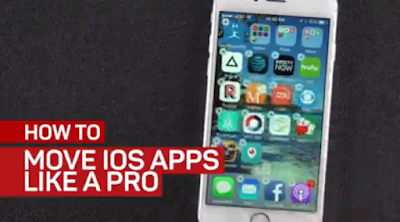
This trick makes moving iPhone apps easier than ever
If you have lots of pages of apps on your iPhone, it can be a pain to move them around. But we have an easy solution.
Here's how it works. If you have multiple pages of apps on your home screen, scroll all the way right to the last page. Once there, press and hold on any app to activate "jiggle mode" — be careful not to accidentally trigger 3D Touch if you're on an iPhone 6S or later. "Jiggle mode" lets you rearrange apps on your iPhone.
Next, remove one of the apps from the dock and place it on that last page temporarily. This frees up a space the dock to shuttle apps back-and-forth to other pages on your home screen. To do this, drag the app you're relocating down to the dock. Scroll to the spot you want to put it. Then, drag it to its new spot. Repeat if necessary.
When you're all done, return the app you took off the dock back to its place and press the home button to lock everything down.
Now you can rest easy since all your apps are where you want them -- or you could finally get around to cleaning the camera on the back.
See the complete article and video at www.cnet.com/how-to/rearrange-iphone-ios-apps-easy-with-this-trick/.
Subscribe to:
Posts (Atom)